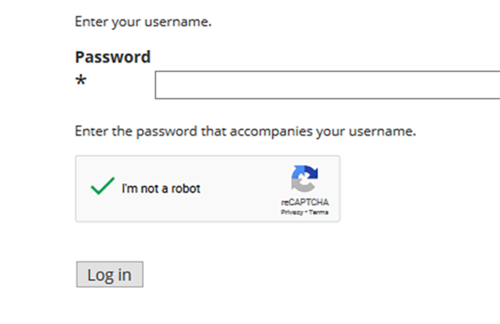
We have all encountered that annoying checkbox on login pages and contact forms across the web. It simply asks you to confirm that “I’m not a robot”. Too often this question is followed by demands to prove your humanity by identifying warped crosswalks and distant stoplights. You may wonder why it bothered to present the checkbox in the first place.
WHAT DO CAPTCHAS ACTUALLY DO?
CAPTCHA is an acronym for Completely Automated Public Turing Test to tell Computers and Humans Apart. The purpose of a CAPTCHA is to determine whether you are a spam bot trying to break into a website. Without a CAPTCHA test, spam bots are able to log into websites by repeatedly guessing passwords and website owners are spammed with bogus contact form submissions.
Google’s reCAPTCHA uses an Advanced Risk Analysis System to determine whether you are a human or a spam bot. If you do not pass you are forced to identify a series of images before proceeding. If you do pass a simple checkbox will let you through.
WHY ARE RECAPTCHAS SO DIFFICULT?
When reCAPTCHAs were first created they were very easy for real people to solve. Computer/Artificial Intelligence was a new concept and spam bots could not read slightly distorted text, much less identify a stoplight.
Recent developments in Artificial Intelligence have actually made bots better at identifying distorted text than humans, and image recognition technology is rapidly improving. To combat this change Google’s reCAPTCHAs have become increasingly difficult. Instead of a simple checkbox saying “I’m not a robot” you are demanded to prove it – by selecting all of the storefronts or buses. Sometimes these tests seem to be never-ending, with each set of images followed by another… and another. Fortunately, there are a few tips you can follow to make these reCAPTCHA tests easier, and restore your confidence that you are, in fact, “not a robot”.
- BROWSING HISTORY – VISIT GOOGLE-OWNED WEBSITES
Google will check your browsing history to see what sites you visited and what kind of tracking cookies you have accepted over the past few weeks. So frequent visits to Youtube may pay off when it comes to skipping the reCAPTCHA. Note: If you have your browser set to delete all browsing history on exit, or to block all tracking cookies this tip will not work for you.
- KEEP YOUR BROWSER UP-TO-DATE
Another thing Google checks for is old browsers. Spambots prefer to use outdated browsers such as Internet Explorer so Google may think you are a robot if your browser has not been updated in a few months.
- LOG INTO GOOGLE SERVICES
Some users report that logging into a Google service such as Gmail in a separate tab can help circumvent the reCAPTCHA. If Google can see that you are a legitimate Gmail user it shouldn’t question your humanity.
- DON’T CLICK TOO QUICKLY
One of the most important cues that Google reads is your mouse movements. Spam Bots always click on exactly what they want as soon as the page loads. Humans, on the other hand, have a more chaotic mouse path and a slight delay before clicking as we read the page text. You are likely passing this test without trying, but if you are operating with a robot-like efficiency you may want to slow things down.
A BIT OF BAD NEWS
Unfortunately, if you are visiting websites on your mobile device or smartphone none of the above tips will work. Google has not added mobile support to the checkbox which means all smartphone users have to answer the image identification challenge.
You might try all of these tips and still have to answer Google’s endless image challenges. The reason for this may be that Google does not want you to pass with the simple checkbox. Google is actually using your answers to train its robots and self-driving cars. Every time you identify a storefront or stop sign you are teaching a robot how to do the same. Google wants you to identify images to grow their data-sets. So the next time you see struggle with an endless reCAPTCHA challenge it may not be because it thinks you are a robot, but because it knows you are human.